

Mastering the Tone Curve: The Professional Secret to Contrast and Color
The Tone Curve is Lightroom’s most precise contrast and color tool. Unlike the Contrast slider — which applies a fixed, global adjustment — the Tone Curve lets you remap any brightness value in your image with surgical accuracy. This guide covers the Parametric Curve, the Point Curve, professional styling recipes, and the Refine Saturation slider. Introduction If you’ve only been using the Contrast …

Adobe’s Preferred Lightroom to Photoshop Workflow: Why Order Matters for RAW Processing
Adobe recommends completing global adjustments, denoising, and healing in Lightroom before moving to Photoshop. This RAW-first approach preserves maximum image data and prevents computational bottlenecks that degrade quality. The correct sequence: denoise → lens corrections → exposure → healing → masking → sharpening. Introduction You open Lightroom. You adjust exposure. Then you notice sensor dust. So you heal it. But wait—should you have …

Non-Destructive Editing in Photoshop: Essential Principles (And When to Break Them)
Non-destructive editing in Photoshop means your original photo stays untouched while you make unlimited changes. Adjustment layers store instructions instead of permanently altering pixels, giving you complete creative freedom to modify, remove, or refine any edit at any time—even months after you save the file. This approach preserves maximum image quality and lets you explore creative directions without fear of ruining your work …

Why Linear RAW Profiles Give You Maximum Control Over Your Images
Quick Answer: Linear RAW profiles remove software interpretation from your sensor data, giving you direct access to the light your camera actually captured. Standard profiles compress highlights and crush shadows before you even start editing. Linear profiles preserve all the information, letting you make every tonal decision yourself. The Hidden Software Layer Between Your Sensor and Your Edit Your camera captures light as …

Why RAW Files Look Flat: Understanding Camera Sensors, Gamma Encoding, and Photo Editing
Your Camera Counts Photons. Your Eyes Don’t. Here’s Why It Matters Quick Answer: RAW files look flat because they contain unprocessed linear sensor data. Camera sensors measure light objectively—double the light, double the signal—but your eyes perceive brightness on a logarithmic curve. Gamma encoding bridges this gap by redistributing tonal information to match how you actually see. Introduction You open a RAW file, …

Lightroom Tone Curve vs. Basic Panel: Which Tool Gives You Better Control?
How Each Tool Shapes Your RAW Images Differently When you open a RAW file in Lightroom or Adobe Camera Raw, you have two fundamental ways to control how bright or dark different parts of your image appear: the familiar sliders in the Basic panel, and the Parametric Tone Curve. Both tools affect exposure, contrast, highlights, shadows, whites, and blacks. But they work in …

Behind The Image #2 Upside Down Trees in a Cloud
Behind The Image #2 Newsletter and Editing Video In this second issue of the Behind The Image newsletter, I explain my thoughts before, during, and after I took the image. This is followed by a video showing how I edited the image using ACR, Photoshop, and the TK9 action plugin for Photoshop BTI Newsletter Number 2: The Blurred Line Between Reality and Perception …

How Adobe Lightroom, Capture One, DxO, and Luminar Neo Interpret RAW Data
RAW files are often described as universal – the idea being that they represent a neutral, bare-bones capture of reflected light that should look the same no matter which software you use to open them. That idea isn’t quite true. In practice, the same RAW file can look remarkably different depending on the software interpreting it. If you’ve ever opened a RAW image …
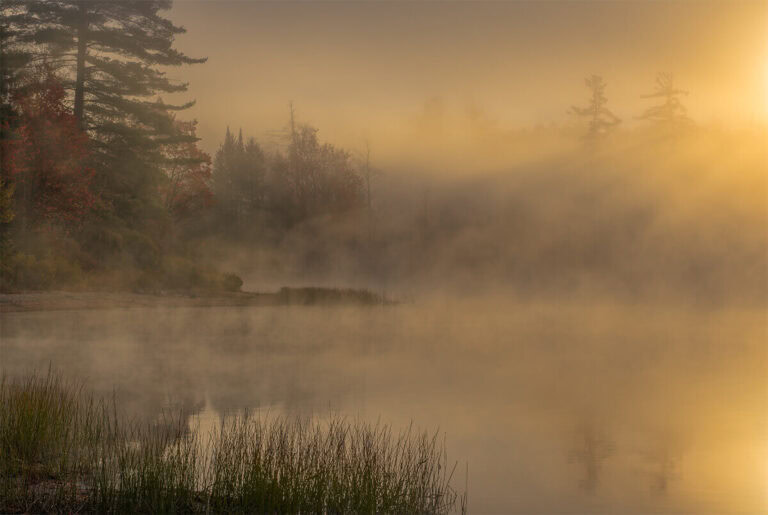
Behind The Image #1 – Foggy Sunrise at Moss Lake
Behind The Image #1 Newsletter and Editing Video Here is the first issue of the Behind The Image newsletter. First is the newsletter that explains my thoughts before, during, and after I took the image. This is followed by a video showing how I edited the image using ACR, Photoshop, and the TK9 action plugin for Photoshop BTI Newsletter Number 1: A Foggy …

What Is Demosaicing and How Cameras Interpret Light Differently From the Human Eye
Have you ever wondered why a RAW photo looks different from the scene you remember? Why do the colors feel off, or the shadows seem flat, when you first open a file? The answer lies in how cameras capture light and how software translates those measurements into images. This post explains, in clear and engaging language, the process of demosaicing, what linear light …